 Crystal
Everything your group needs, nothing it doesn’t.
Chat
Somewhere for every conversation.
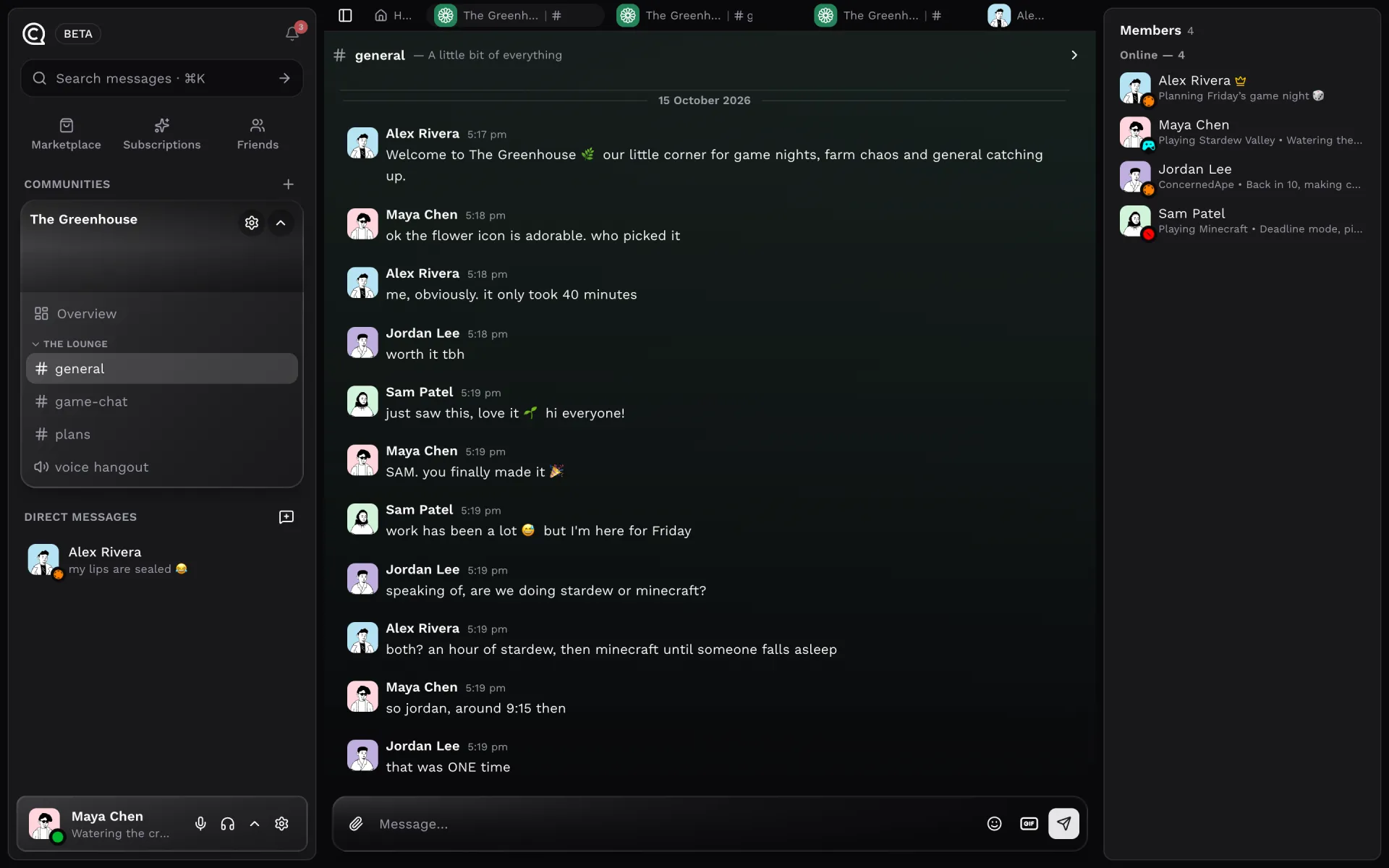
Communities and channels
Text and voice channels in collapsible categories, each with its own banner and background.
DMs and group chats
Name the group, give it an icon and a wallpaper, and pin the conversations you open the most.
Community overview
A home page for your space with cards for rules, recent messages, a countdown, events and polls.
Replies, reactions and mentions
Reply, react with any emoji (including your community’s own), pin, forward, and @ the people who need to see it.
GIFs, stickers and custom emoji
Search GIFs, clips and stickers, keep favourites, and upload up to 50 emoji per community.
Search that finds it
Search a channel, a community or a DM. Encrypted chats are searched on your device.
Saved messages
Save a message for later and set a reminder so you actually come back to it.
Notifications your way
One inbox for mentions and replies, and all, mentions-only or nothing for each community.
Tabs and a priority list
Keep chats open as tabs and pin the people and channels that matter to the top of the sidebar.
Voice & video
Talk when typing gets slow.
Voice channels
Drop in and out without calling anyone. Turn your camera on if you like.
DM and group calls
Ring a friend or the whole group. Missed a call? It shows up in the chat.
Screen sharing up to 1080p60
Share a screen or a window with its sound. The desktop app shares system audio natively on Windows, macOS and Linux, and on Linux you can pick a single app’s audio.
Pop-out player
Keep a call in a mini player, or pop it into its own always-on-top window on desktop.
Noise suppression
Krisp filters out the keyboard, the fan and the dog.
Soundboard and join sounds
Built-in sounds plus your community’s own uploads, and a sound that plays when you join.
Gaming
Built for game night.
Game detection
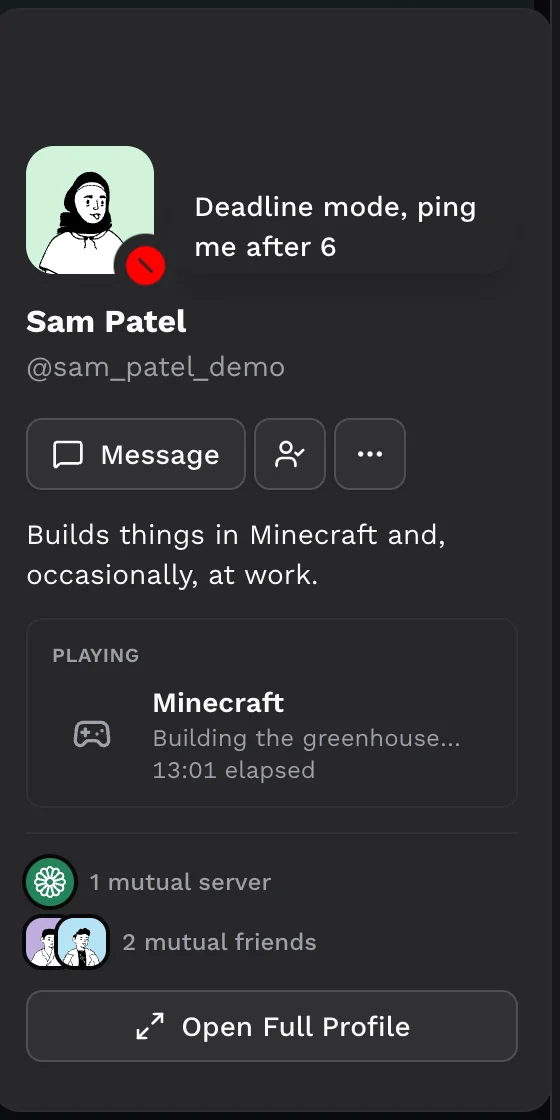
The desktop app recognises what you’re playing and shows it on your profile, with box art and time played.
Now playing
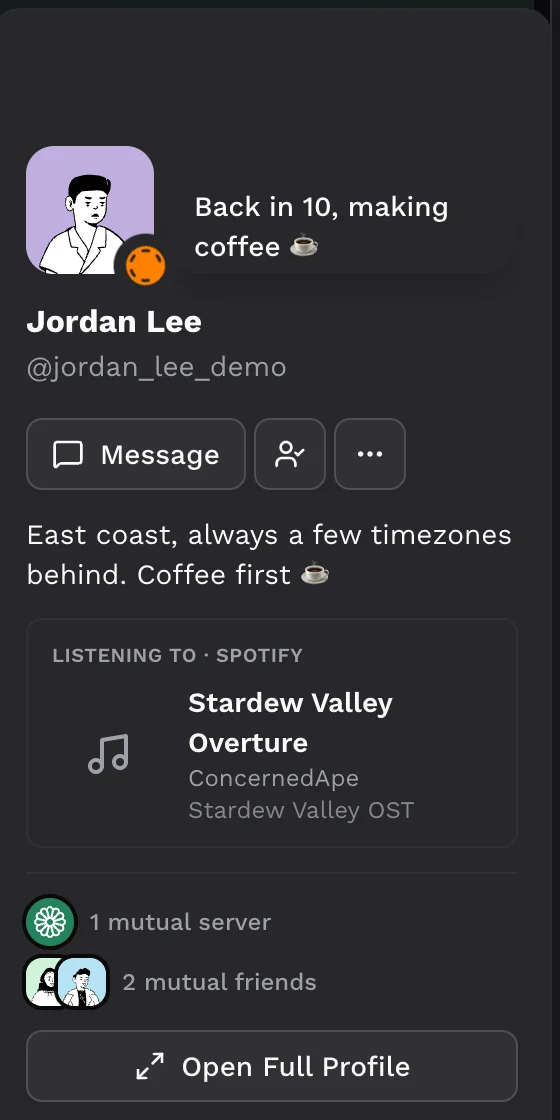
Shows the song you’re listening to with a live progress bar, on Windows, macOS and Linux.
Recent activity
Your profile lists the games you’ve played lately and for how long. Music isn’t recorded.
Clans
A community built around up to five games, with a roster of everyone’s in-game names, ranks and roles.
Looking for group
Post an open slot for a game. People join in one tap, and the post tidies itself away when it expires.
Scrims and events
A calendar with going/maybe RSVPs, a lineup and a cap on numbers.
Game server control
Connect a Pterodactyl panel to see live stats and start, stop or restart servers, with access set per role.
Lounges
Turn a voice channel into a little 2D room: walk around, sit down and watch whoever’s streaming on the wall TV.
Active now
See what your friends are playing and which calls you could join, from your home page.
For YouTube & Twitch creators
A home for your community, not just your chat.
Link your channelSoon
Connect Twitch, YouTube or TikTok and make it your community’s home channel.
Members-only spacesSoon
Let in only your Twitch subscribers or YouTube channel members. Crystal checks when they join.
Tiers become rolesSoon
Membership tiers turn into roles automatically, and are re-checked every few hours.
A newsfeed for your uploadsSoon
Your streams, VODs, videos and Shorts in one channel, with a “Live now” badge when you’re on.
AMA channels
Fans send in and upvote questions, and you answer them one at a time.
Sell your own cosmetics
Design decorations, nameplates and effects in Studio and sell them in the shop. You keep 80%.
Creator communities are coming soon: we’re finishing verification with the platforms before opening them up. Members-only gating will use Twitch subscriptions (Affiliate and Partner channels) and YouTube channel memberships. TikTok has no membership data, so TikTok communities will be public.
Profiles
Look like yourself.
Decorations, effects and nameplates
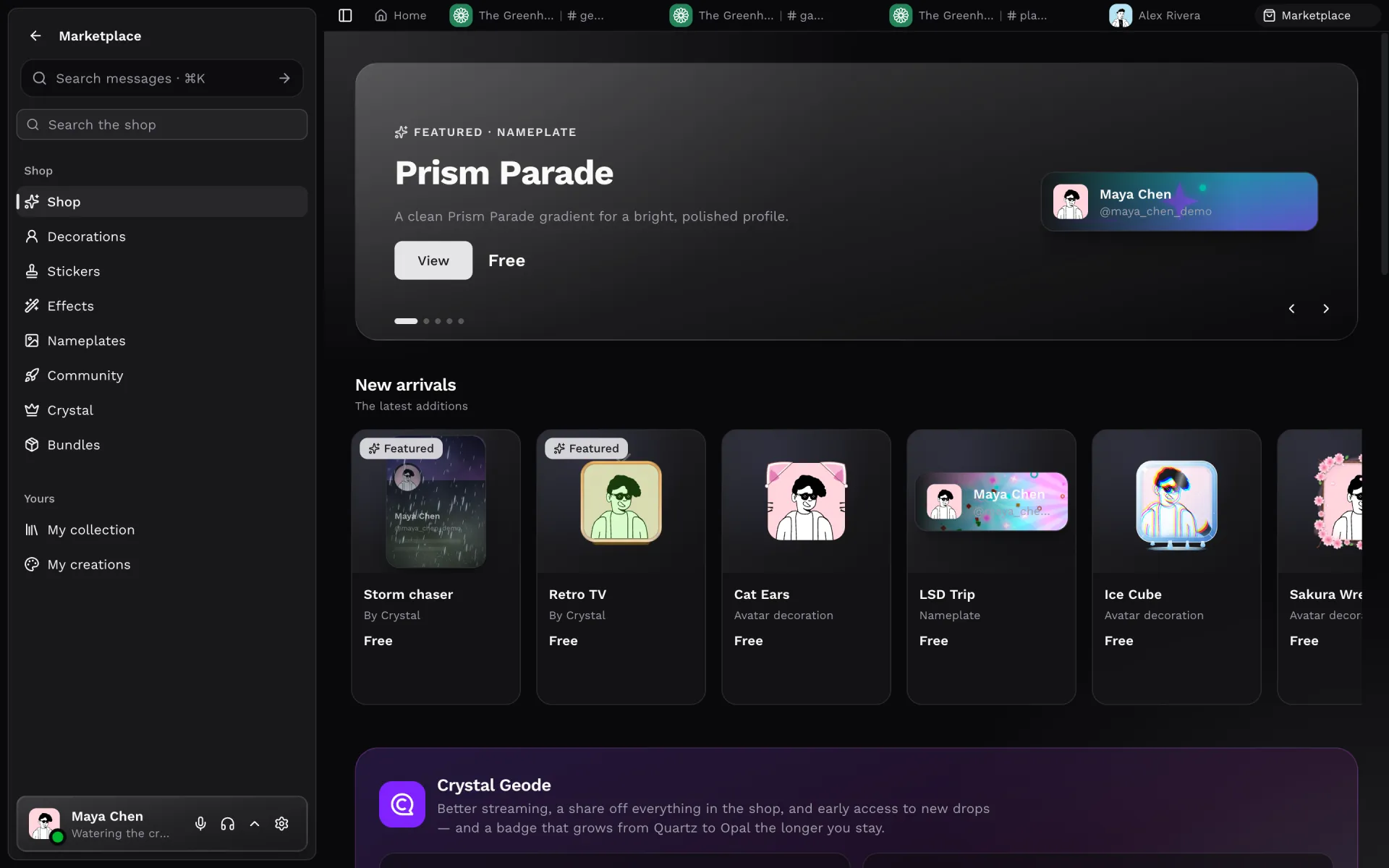
Dress up your avatar and name. Animated ones play when someone looks at your profile.
Statuses with personality
Say it in a speech bubble, think it in a thought bubble, and clear it automatically later.
Custom activity
Set your own “Playing…” or “Watching…”, with link buttons, even when nothing is detected.
A different you per server
Use a different name, avatar or look in each community.
Birthdays
A cake where your status dot normally is, and a nudge for your friends to say happy birthday.
The shop
Cosmetics, community themes, lounge scenes and theme packs. Plenty of them are free.
Running a community
Tools for the people keeping it nice.
Roles and permissions
21 permissions, a role hierarchy, and overrides for each channel or member.
Kick, ban and time out
Bans stick even if someone gets a new invite. A timeout lets them read but not talk.
2FA for moderators
Require two-factor for your mods, and Crystal asks for a fresh code before big admin actions.
Report to Crystal
Report a person, a message or a whole community to our team when something crosses the line.
Bots that help
Add bots with exactly the permissions you choose. Everything they do is logged for 30 days.
Templates
Start a community from a template, or share yours with a code so others can copy the setup.
Messages are end-to-end encrypted.
The text of your DMs and community messages is locked on your device before it’s sent. Read exactly what is and isn’t encrypted, and who we share data with.
Where it runs
On your computer, or in a browser tab.
Windows, macOS and Linux
An installer for Windows, a dmg for Mac, and AppImage, deb and AUR packages for Linux.
In your browser
Everything except the desktop extras (game detection, native system-audio sharing and the pop-out) works on the web.
Updates when you want them
The app checks for updates and installs them when you’re ready. Pick Stable, PTB or Canary.
Bring your people.
Start in your browser and invite your friends. Get the desktop app when you want the extras.